Why You Should Never Use Public Wi-Fi Without a VPN
Airport lounges. Hotel lobbies. Coffee shops. Co-working spaces. Public Wi-Fi is everywhere — and connecting to it feels completely normal. That’s exactly what makes it dangerous.
Open Wi-Fi networks are one of the most common environments for data theft. The attacks aren’t sophisticated. They don’t require expensive tools or expert knowledge. And most people who fall victim have no idea it happened until their accounts start showing unusual activity weeks later.
Here’s what actually happens on an unprotected public network — and why a VPN is the simplest way to fix it.
What Attackers Can Do on Public Wi-Fi
The most common attack on public Wi-Fi is called a man-in-the-middle attack. An attacker positions themselves between your device and the network, intercepting the data flowing between them. Any information you send or receive — login credentials, emails, form submissions, session tokens — can potentially be captured and read.
This is easier than most people imagine. Tools that automate the process are freely available. A moderately skilled attacker with a laptop can run one in a coffee shop in minutes.
The second attack to know about is the evil twin. An attacker sets up a Wi-Fi hotspot with a name that looks identical to the legitimate one — “Heathrow Airport Free WiFi” instead of the real thing. Your device connects automatically. Everything you do goes through the attacker’s equipment. You see no warning. Everything appears to work normally.
Even on legitimate networks, packet sniffing is possible — capturing and analysing the raw data packets flowing across the network. On websites that don’t use HTTPS, that data can be read in plain text. Usernames, passwords, the content of forms you fill in — all of it.
But Doesn’t HTTPS Protect Me?
Partly. HTTPS encrypts the content of your communications with websites that support it — and most major websites now do. That’s a meaningful layer of protection compared to the open web of a decade ago.
But HTTPS doesn’t protect everything. It doesn’t hide which websites you’re visiting. It doesn’t encrypt DNS queries — the requests your device makes to look up website addresses, which reveal your browsing activity to anyone monitoring the network. And it doesn’t protect you from evil twin attacks, where the attacker controls the network itself.
HTTPS is a floor, not a ceiling. It’s necessary but not sufficient on an untrusted network.
What a VPN Actually Does
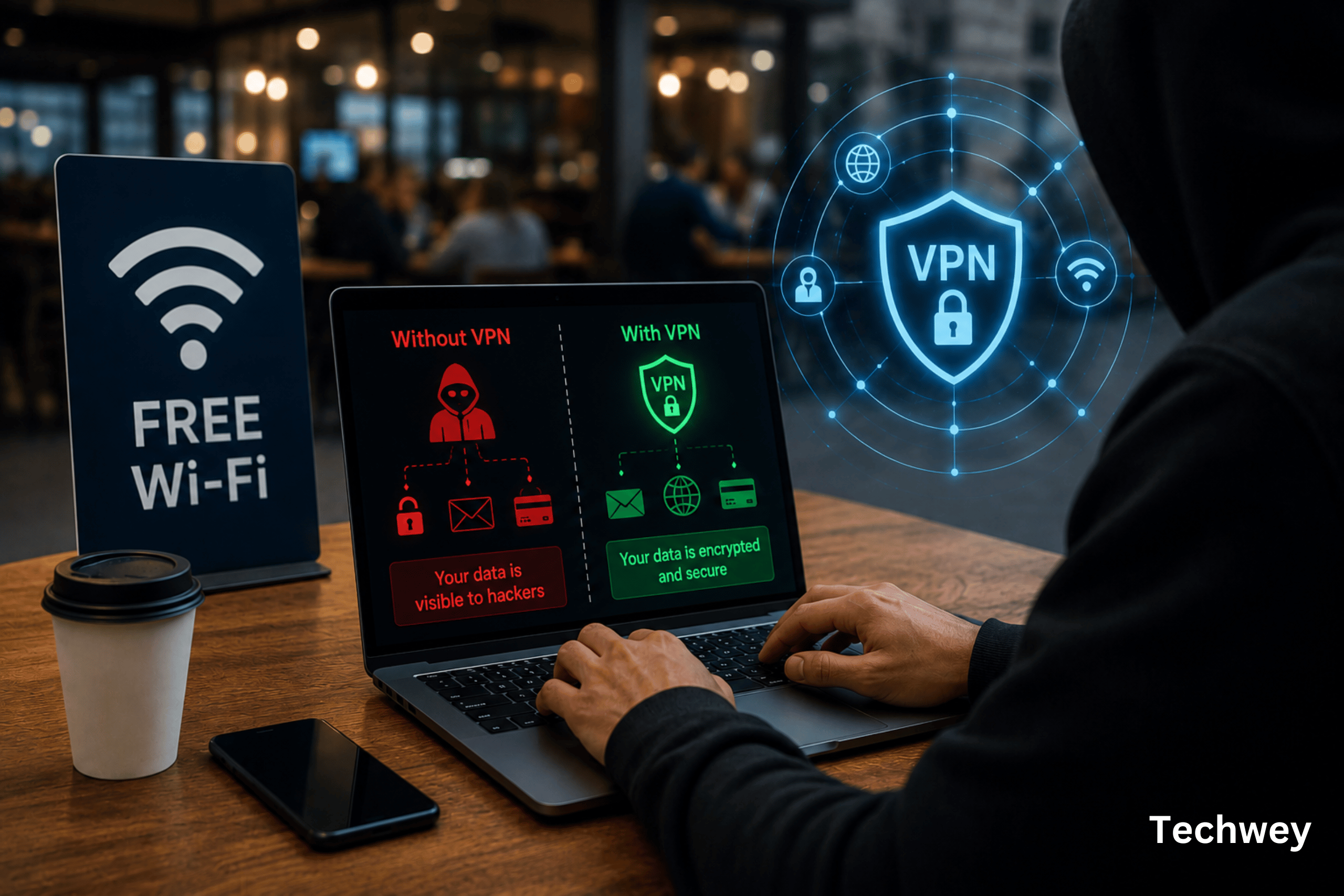
A VPN — Virtual Private Network — creates an encrypted tunnel between your device and a server operated by the VPN provider. All of your internet traffic is routed through that tunnel.
From the perspective of anyone monitoring the public Wi-Fi network — including the network operator — they can see that you’re connected to a VPN server. That’s it. The content of your traffic, the websites you’re visiting, and the data you’re sending are all hidden inside the encrypted tunnel.
An evil twin attack becomes useless. A packet sniffer captures only encrypted gibberish. A man-in-the-middle attacker can see your data flowing to the VPN server but cannot decrypt it.
Which VPN Should You Use?
Not all VPNs are equal — and some free VPNs are actively harmful, selling your browsing data to third parties or injecting ads into your traffic. The convenience of a free VPN is not worth the privacy trade-off.
Three reputable paid options that consistently appear at the top of independent reviews:
- Mullvad — the strongest privacy stance of any major VPN. No accounts, no email required, accepts cash and cryptocurrency. €5 per month flat. Recommended by the Electronic Frontier Foundation.
- ProtonVPN — open source, independently audited, based in Switzerland. Offers a genuine free tier with no data limits — unusual and worth noting for occasional users.
- ExpressVPN or NordVPN — both are widely used, regularly audited, and have fast speeds across a large server network. Good choices if ease of use is your priority.
Enable the VPN before you connect to any public network. Most good VPN apps have a setting to activate automatically whenever you join an untrusted network — turn that on and you won’t have to think about it.
When Public Wi-Fi Is Genuinely Fine to Use
The risk isn’t zero on any public network, but some situations are lower risk than others. Checking the weather, reading the news, or watching a video carries less risk than logging into your bank, accessing work email, or filling out a form with personal information. The higher the sensitivity of what you’re doing, the more you need the protection.
Mobile data — your phone’s 4G or 5G connection — is significantly safer than public Wi-Fi for sensitive tasks. If in doubt, switch off Wi-Fi and use your data instead. For more on protecting yourself online, see our guide on how to protect yourself from AI-powered cyber threats and our practical guide to securing your accounts in 2026.
The Bottom Line
Public Wi-Fi is not safe by default. The attacks are real, the tools are accessible, and the consequences can follow you for months. A VPN costs less than a coffee per month and runs silently in the background. It is one of the simplest and most effective security habits available to anyone with a phone or laptop.
Set it up once. Turn it on. Stop thinking about it. That’s the whole job.
Read more tech related articles here.