How to Choose the Right CRM Software for Your Business in 2026
Every growing business eventually hits the same wall: customer information scattered across spreadsheets, inboxes, and someone’s personal notebook, with no single source of truth. A CRM is supposed to fix that. The problem is that the CRM market is enormous, feature lists all start to sound the same after a while, and a wrong pick can waste months of your team’s time and a real chunk of your budget.
If you’re wondering exactly how to choose the right CRM software without falling for flashy demos or overbuying features you’ll never touch, here’s a practical, step-by-step framework you can actually use.
Why Choosing the Right CRM Software Matters More Than You Think
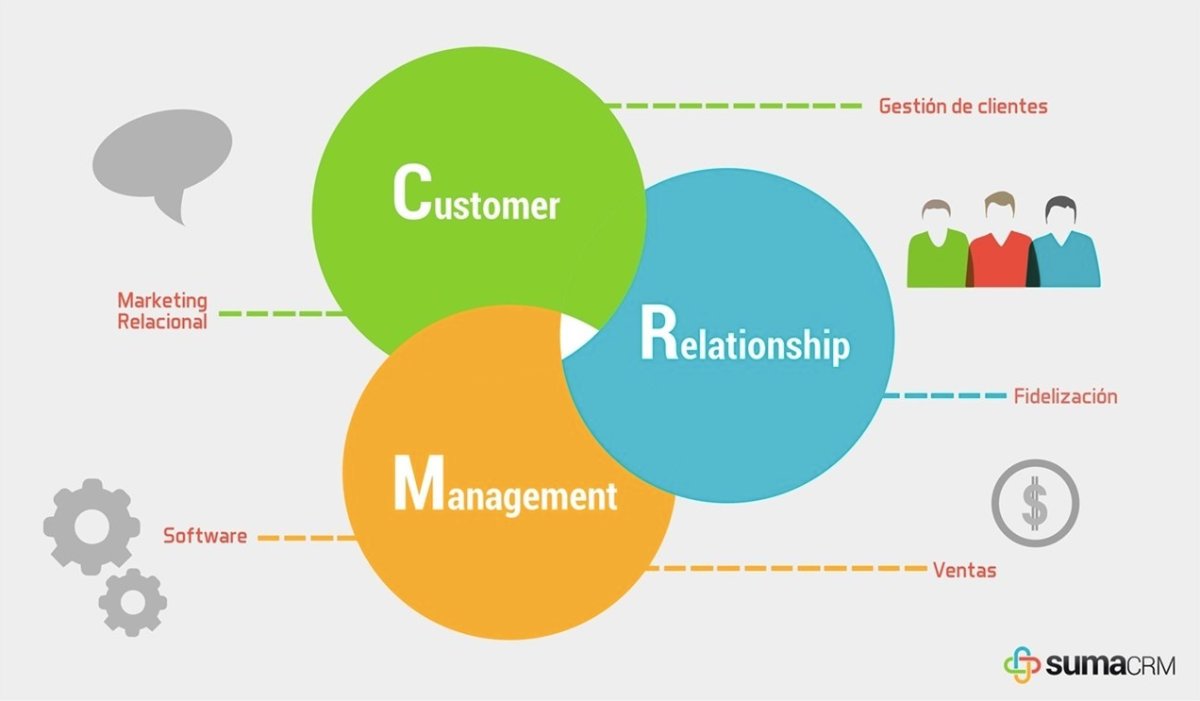
A CRM, or customer relationship management system, is the combination of tools and processes companies use to manage customer data and interactions across the entire customer lifecycle, according to TechTarget’s definition. Done right, it centralizes contact management, sales pipeline tracking, marketing automation, and customer service, all in one place your whole team can see.
Done wrong, it becomes exactly what it was supposed to replace: a glorified spreadsheet nobody trusts, because the data inside it is incomplete, duplicated, or outdated. That’s why the selection process matters as much as the tool itself.
How to Choose the Right CRM Software: Step 1 — Define Your Needs Before You Look at Vendors
The biggest mistake businesses make is starting with a list of CRM brand names instead of a list of problems. Before you request a single demo, get clear answers on:
Your current sales process and where deals actually get stuck. Your customer service workflow and how support requests move from first contact to resolution. Whether your marketing team needs built-in automation, or whether that’s handled by a separate tool already. How your team actually wants to work day to day, since a CRM that fights your existing habits will get ignored within weeks no matter how powerful it is.
TechTarget’s step-by-step guide to choosing CRM software frames this well: evaluations should start with business processes, customer preferences, and direct input from the sales team, not with a vendor’s feature sheet.
Step 2 — Compare Features Against Your Actual Workflow, Not a Checklist
Once you know your needs, map them against what each CRM actually offers, including: lead generation and contact management, sales pipeline visibility and forecasting, marketing and workflow automation, customer service and case management, and increasingly, AI-driven features like predictive lead scoring and automated data entry.
Resist the urge to pick the CRM with the longest feature list. A tool packed with capabilities your team will never use just adds complexity, slows down onboarding, and makes the system harder to maintain. The right CRM is the one that maps cleanly onto the workflow you already defined in step one, not the one with the flashiest sales pitch.
Step 3 — Decide Between Cloud, On-Premises, or Open Source
This decision shapes your costs and flexibility for years, so it deserves real thought. Cloud-based CRM, also called SaaS or on-demand CRM, is hosted externally and accessed through the internet. It’s typically the fastest to deploy and the easiest option for teams without a large IT department, though you’re trusting your data to a third-party provider and paying an ongoing subscription rather than a one-time cost.
On-premises CRM puts your business in charge of hosting, security, and maintenance, which appeals to organizations with strict data residency or compliance requirements, but requires more upfront investment and internal expertise.
Open source CRM makes the underlying code available for customization at no licensing cost, which can be appealing if you have development resources to shape the system around unusual workflows, but it shifts more of the maintenance burden onto your own team.
For most small and mid-sized businesses, cloud-based CRM has become the default, largely because of how much faster it is to get running and how naturally it now integrates AI-driven features.
Step 4 — Watch Out for These Common Mistakes
A few mistakes show up again and again in CRM rollouts, and knowing them in advance can save you real pain later. Overcomplicating the initial implementation by choosing a system loaded with features that slow adoption is a common trap. So is neglecting to get buy-in from the actual salespeople and support agents who’ll use the tool every day, which almost guarantees the CRM gets used inconsistently, or not at all. Underestimating training time is another classic error. Even an intuitive CRM needs a real onboarding plan, not a five-minute walkthrough on launch day. Finally, ignoring data governance from day one, meaning duplicate records, missing fields, and inconsistent formatting, will quietly poison the value of the entire system no matter how good the software is.
Step 5 — Run a Real Trial Before You Commit
Never buy a CRM off a sales deck alone. Run an actual pilot with real data and real users from sales, marketing, and customer service. During the trial, pay attention to whether the reporting is genuinely accurate or just looks good in a demo, whether the mobile experience holds up for anyone working outside the office, and whether the vendor’s support team is responsive when something breaks, not just when you’re still a prospect they’re trying to close.
Final Thoughts: Choosing the Right CRM Software for Long-Term Growth
A CRM is a long-term investment that will eventually touch nearly every customer-facing part of your business, so it’s worth resisting the pressure to decide quickly. The businesses that get the most value tend to follow the same pattern: they define their actual needs first, map those needs against real features rather than marketing copy, choose a deployment model that fits their resources and compliance needs, and pilot the tool with real users before signing a long-term contract.
Get those steps right, and a good CRM becomes the system your whole team actually relies on. Get them wrong, and you’ll be having this same conversation again in eighteen months, just with a different vendor’s logo.
Read more tech related content here.